
You as a coach · App on your phone
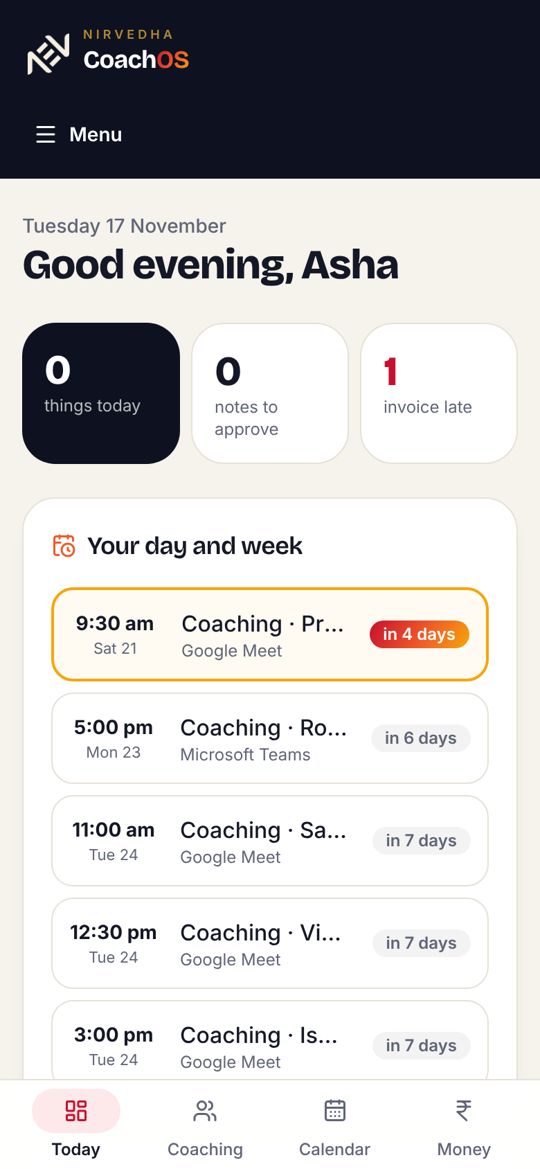
CoachOS on your phone's home screen
Add CoachOS to your phone's home screen and it opens full screen like an app, the whole practice for you and their own space for your coachee, with notifications if you want them.
What it does
App on your phone
There are two installable apps from the same code, so every feature reaches the phone the day it ships: the coach's app opens your practice, and the coachee's app opens their portal. On an iPhone, add it from Safari (Share, then Add to Home Screen). On Android, install it from the browser.
Turn on notifications on a device and CoachOS tells you when something is waiting. A notification shows only a subject line, never what was said, and quiet hours hold.
In Core, and so in the Grow tier too. What each tier costs
How it works
- 1Open CoachOS on your phone. Sign in as usual.
- 2Add it to your home screen. The portal shows your coachee how, step by step.
- 3Turn on notifications. Settings → Notifications on this device, if you want them.
Worth knowing
There is no App Store app. An Android app for Google Play is coming shortly, built on the same app; until then, installing from the browser works just like it.
More in You as a coach
Your hours, your credential, your other work, and CoachOS on your phone.