
Your brand · Your own domain
Your brand, on an address of your own
Your coachees see your name, logo and colour in their portal, on your booking page, on the payment page and on every link you send, at an address such as portal.yourname.com.
What it does
Your own domain
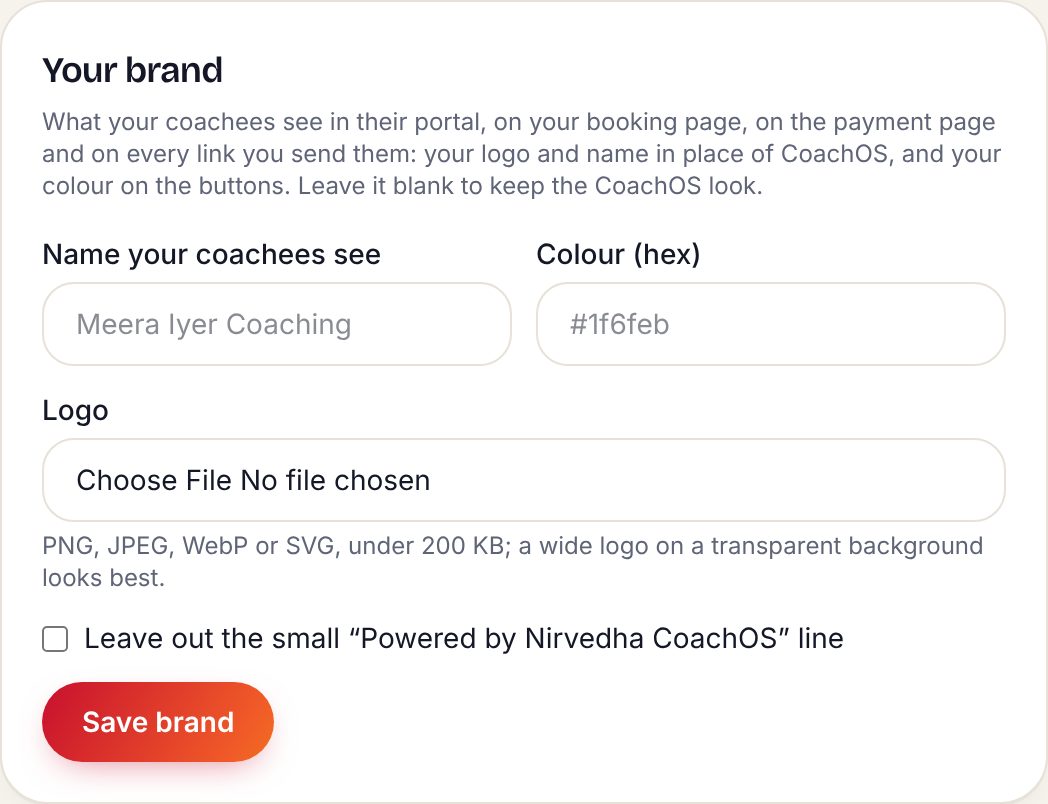
In Settings → Your brand, set the name your coachees see, your colour and your logo, and choose whether to leave out the small 'Powered by Nirvedha CoachOS' line.
Your own domain is one subdomain of your website, such as portal.yourname.com, with its own certificate. Your website stays where it is. CoachOS shows the DNS records to add where your domain is held, and checks until they are in and the certificate is issued. On that address only coachee-facing pages are served: the portal, the booking page, payment and the links you send. Your own CoachOS is never reached there.
In the Grow tier. A free trial includes it. What each tier costs
How it works
- 1Your brand. Name, colour and logo, in Settings.
- 2Your domain. Enter the subdomain and add the two records CoachOS shows you.
- 3Live. Your coachees' links use your address from then on.
Worth knowing
Where own domains are not yet switched on, Settings says 'Own domains open shortly', and your brand shows on CoachOS's own address meanwhile.
If the practice leaves the Grow tier, the domain stops serving until it returns.
More in Your brand
On the Grow tier, your clients see your brand on your own domain, and your other tools connect.