
Sessions · AI session notes
Minutes drafted from the session, approved by you
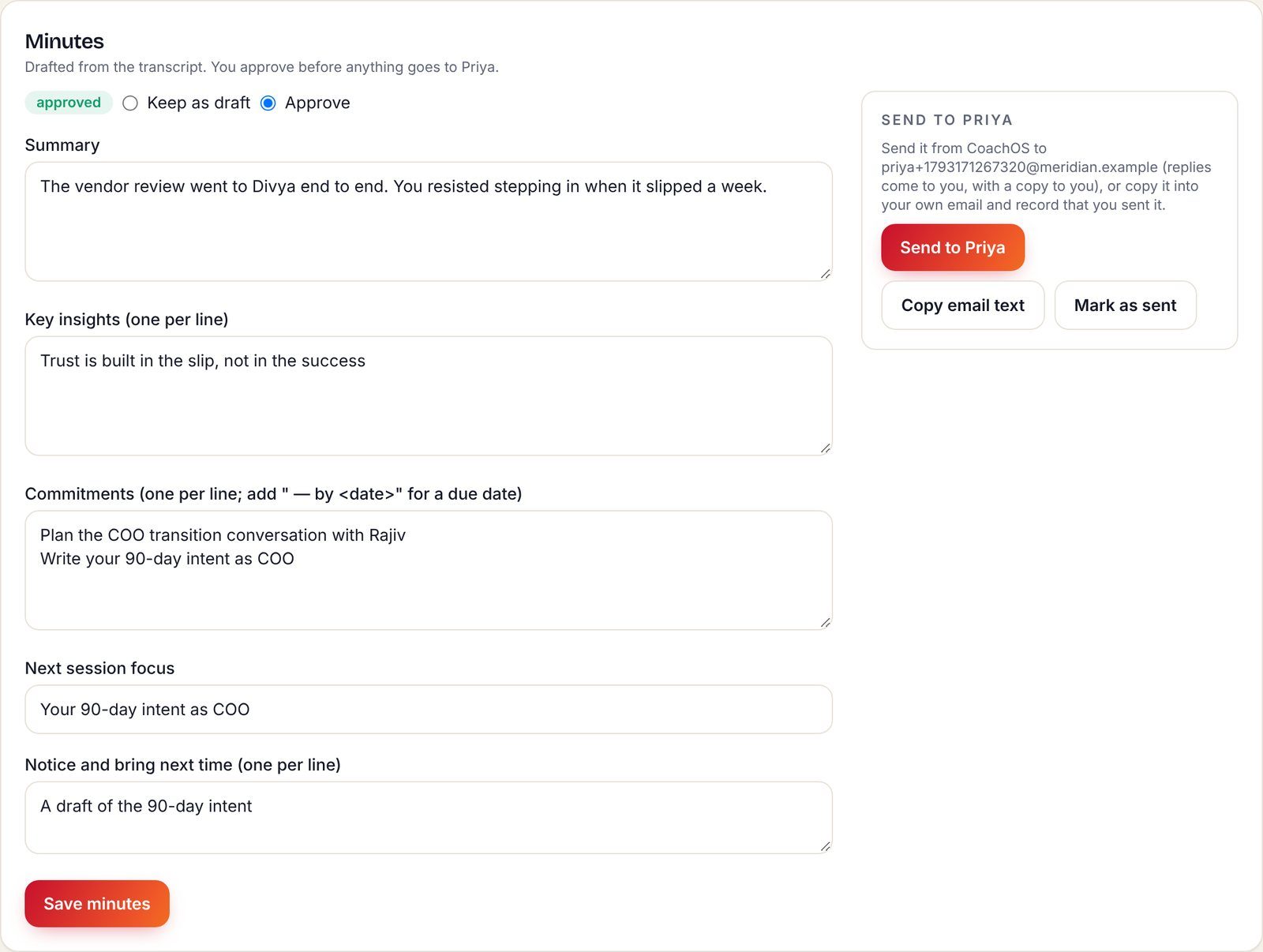
From the transcript, AI drafts the minutes your coachee receives and private notes for you. Nothing reaches the coachee until you approve it.
What it does
AI session notes
The draft has two parts kept apart. The coachee's minutes: a summary addressed to them, their insights, the commitments they made with any date they gave, the next session's focus, and what to notice and bring. Your own notes: themes, patterns, tentative hypotheses and questions for next time, for your eyes only.
It works from the transcript, your own notes for the session and the engagement's goals. Indian English with Hindi or Telugu words is understood and written up in English.
In Core, and so in the Grow tier too. What each tier costs
How it works
- 1Transcript in. From Meet, Fireflies, an upload, or pasted.
- 2Draft minutes with AI. One press on the session page. Redraft if you want another go.
- 3Edit and approve. Change anything, then approve.
- 4Send. Email the minutes to the coachee from CoachOS under your name, with replies to you, or copy them to send yourself.
- 5Before the next session. A session brief reaches you 24 hours ahead, built only from what is on record: the last minutes, commitments and how the coachee marked them, their prep and the goals.
Worth knowing
A free trial drafts up to 40 AI session notes a month; paying practices have no cap.
More in Sessions
The transcript or recording comes in, the notes are drafted, the coachee checks in after each session.